
AirPods 5 Wireless Charging Case: A Calm Apple Nightstand Guide for 2026
Quick answer: The AirPods 5 wireless charging case makes the most sense as part of a three-device Apple charging zone, not as another loose item on the nightstand. Give the iPhone an upright magnetic position, the Apple Watch its own supported charging point, and the AirPods case a flat, clearly marked surface. Use one correctly sized adapter, keep status lights out of the sleeper's direct view, and leave space around the phone for heat to escape.
Quick Navigation
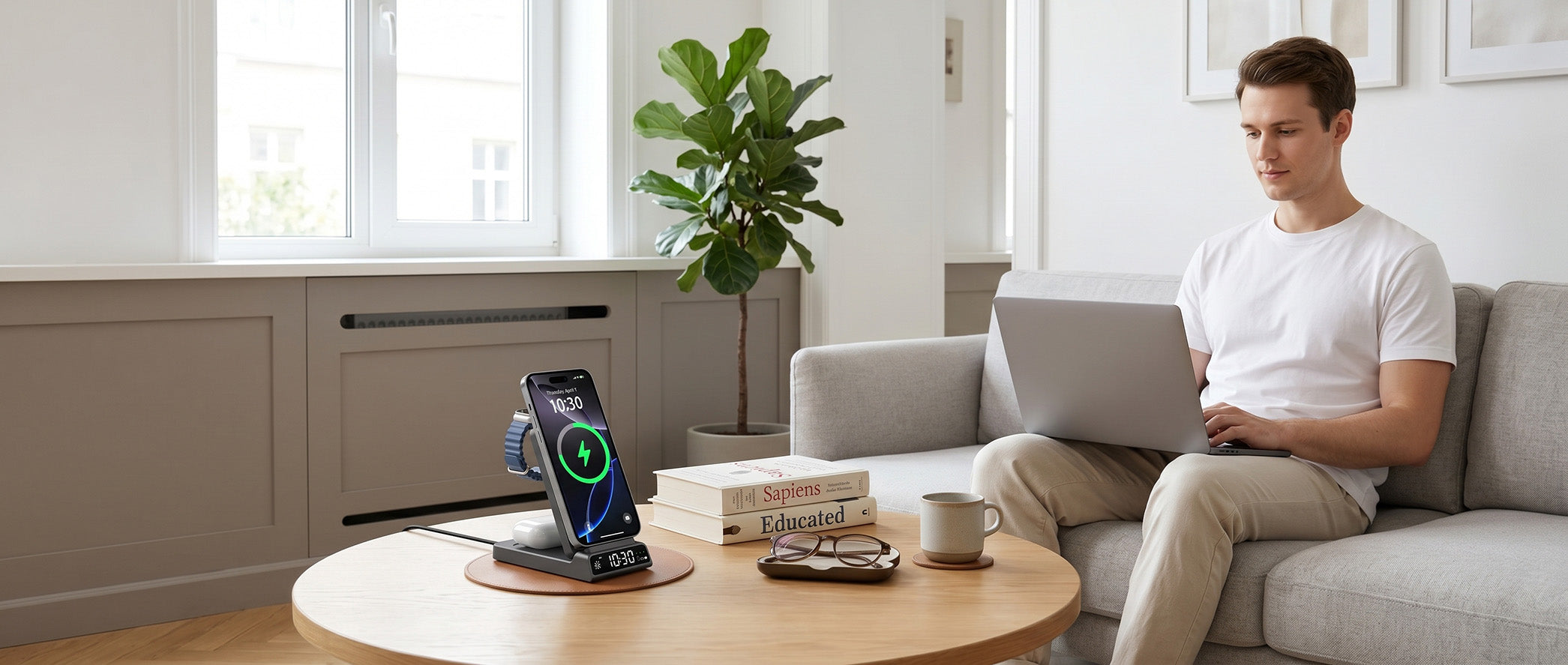
A calm Apple charging zone gives the phone, watch, and earbuds one repeatable place without turning the nightstand into a cable shelf.
Chapter 1: Why AirPods 5 Changes the Bedside Layout
AirPods 5 with a wireless charging case returned to the news cycle on September 15, 2026 through a detailed AppleInsider review, followed by additional mainstream reviews and comparisons. The product story is about earbuds, but the home-design implication is broader: another daily device can now return to a shared wireless charging surface rather than requiring a separate cable.
That convenience only works when the placement is obvious. A small white case can be left slightly off-center on an undifferentiated pad, and a bright status indicator can be distracting in a dark room. The better setup gives every object a defined position and makes the charging state easy to check before sleep.
Chapter 2: Design the Three-Device Charging Zone
Put the iPhone at the back
An upright magnetic phone position keeps the display readable and leaves the front of the nightstand available for a glass, book, or glasses. Angle the screen away from the pillow if StandBy-style information would become a distraction.
Give AirPods a flat landing point
The earbuds case should sit on a surface with a clear physical boundary. A shallow recess, contrasting material, or dedicated pad reduces off-center placement. Do not stack the case beneath the phone or watch just to make the station look smaller.
Keep the Apple Watch accessible
The watch charger should let the band rest naturally rather than forcing it against the phone. If the watch is used for sleep tracking, place its charging point where it can be removed during the evening and returned without moving other devices.

A clock-equipped charging station can replace another bedside object, provided the display is dimmable or positioned away from direct sight.
Chapter 3: Charging Pad vs 3-in-1 Station
| Layout | Best for | Advantage | Limitation |
|---|---|---|---|
| Single flat pad | AirPods-only or guest-room charging | Small and visually quiet | Phone, watch, and earbuds still compete for cables or time |
| Two-device stand | iPhone plus either watch or earbuds | Useful middle ground for a small table | The third device needs another charger |
| 3-in-1 station | Daily iPhone, Apple Watch, and AirPods routine | One defined location and one visible power path | Needs enough adapter capacity and a stable footprint |
| 4-in-1 station | Tablet stand or extra charging function | More utility at a work desk | Can be visually busy on a small nightstand |
Decision rule
Choose the smallest station that gives every device used overnight a permanent position. A single pad is cleaner only when it does not force two extra cables back onto the table. For a full Apple routine, a compact 3-in-1 station is usually the calmer visual solution.
Chapter 4: Light, Heat, Cable, and Placement Rules
| Design issue | Recommended choice | Reason |
|---|---|---|
| Indicator light | Dim, indirect, or positioned below eye level | Reduces sleep disruption and visual noise |
| Phone airflow | Leave the back and edges exposed | Wireless charging naturally produces heat; enclosed corners retain it |
| Cable route | Run one cable down the rear table leg | Keeps the visible surface calm and prevents snagging |
| Adapter location | Use a ventilated outlet or power strip | Avoids trapping the power supply behind fabric or furniture |
| Reach distance | Place the station within one relaxed arm's reach | Reduces dropping or dragging devices in the dark |
Do not buy by headline wattage alone. Check the live product page for the required adapter, supported device positions, and current compatibility. The iPhone controls its negotiated wireless charging rate, while the watch and AirPods case use their own charging paths.
Chapter 5: Three Apple-Focused Elecdov Options
CE19A: the first Apple recommendation
Problem background: The everyday Apple nightstand needs three charging positions without three visible cables.
Answer: The Elecdov CE19A 3-in-1 Apple charging station is the first Apple product in the supplied priority list.
Comparison: Unlike a phone-only pad, its 3-in-1 format is intended for the iPhone, Apple Watch, and earbuds routine discussed here. Confirm the current AirPods case, Watch, iPhone, adapter, and case compatibility on the product page.
Final answer: Choose CE19A when one station should organize the full nightly Apple routine.
Summary: It is the best first match in this article because its category and format directly answer the three-device problem.
CE19A-CF: the material-led Apple option
Problem background: Some interiors need a darker or more technical finish than a conventional white charging accessory.
Answer: The Elecdov CE19A-CF 3-in-1 station for Apple is the second Apple-specific entry in the source list.
Comparison: Its role is aesthetic differentiation within the same Apple-focused three-device problem. The product page, not the finish name, must confirm the included adapter and current device support.
Final answer: Choose CE19A-CF when an Apple charging station must coordinate with a darker desk or bedroom palette.
Summary: It is a design-led alternative, not a claim of higher charging speed.
C12N: the Apple 4-in-1 desk alternative
Problem background: A home office may need an extra stand function beyond the three-device bedside routine.
Answer: The Elecdov C12N 4-in-1 magnetic charging station for iPhone is the next Apple product by source-list order.
Comparison: A 4-in-1 format can suit a desk with more device interaction, while a 3-in-1 station usually preserves more empty surface on a small nightstand.
Final answer: Choose C12N for a home office or larger bedside surface where the fourth function will be used.
Summary: It is the expansion option; CE19A remains the simpler fit for the core iPhone, Watch, and AirPods layout.

The useful measure of a bedside charger is not how many functions it advertises, but how many loose objects and cables it removes.
Chapter 6: Frequently Asked Questions
Can the AirPods 5 wireless charging case use the same station as an iPhone?
A multi-device station can provide separate charging positions for the phone and earbuds case, but the exact case and product support must be confirmed on the charger page and Apple's current specifications. Do not balance the AirPods case on the phone position unless the product explicitly supports that use.
Is a 4-in-1 station better than a 3-in-1 station for a nightstand?
Only when the fourth function is used regularly. For iPhone, Apple Watch, and AirPods, a 3-in-1 station usually has the cleaner footprint. A 4-in-1 model is more compelling on a home-office desk or larger table.
Which Elecdov product is the best match for the AirPods 5 bedside routine?
CE19A is the best first match among the supplied Apple products because it appears first in Elecdov's Apple category and its 3-in-1 format matches the iPhone, Watch, and earbuds problem. CE19A-CF offers a different visual direction, while C12N suits users who need a fourth function. Open the product page and verify the exact AirPods case, Watch, iPhone, case, and adapter before choosing.
Conclusion: Give Every Apple Device One Quiet Place
AirPods 5 with a wireless charging case makes a shared Apple charging zone more useful, but the visual result depends on placement. Keep the iPhone upright, reserve a flat surface for the earbuds case, make the watch easy to remove, hide one power cable, and keep light away from the pillow. For this three-device routine, Elecdov CE19A is one of the best-matched choices in the current catalog; CE19A-CF and C12N extend the choice for different interiors and larger desks. Compare those options against the live compatibility details, then choose the station that removes the most nightly friction without adding unnecessary hardware.
Sources and status
- AppleInsider via Google News, published September 15, 2026: AirPods 5 wireless charging case review.
- Apple AirPods: use Apple's regional product and specification pages to confirm current case support.
- Updated September 16, 2026. Product specifications and regional availability can change; linked product pages are the final source for current compatibility.

Elecdov Editorial Team
Practical wireless charging guidance for Samsung, Apple, and Google device ecosystems.
Create a calmer Apple charging zone
Compare three Apple-focused Elecdov stations, then verify your exact iPhone, Watch, AirPods case, and adapter on the product page.
Explore Apple Chargers


