
The 25W Desk: Why Your iPhone 18 Pro Never Hits 25W Without the Right Chain
Quick read
A 25W magnetic pad is easy to buy and easy to neutralise. Three things decide whether the number on the box survives a working day.
- What this is
- A placement and power-path guide for a 25W station on an iPhone 18 Pro desk, built on Apple's MagSafe documentation, the WPC's Qi2 25W release and Elecdov's listings.
- The core problem
- A 25W label does not survive a 20W brick, a closed drawer, a soft mat, or an accessory left in the phone's port.
- What you will learn
- Apple's adapter rule, the 16W accessory cap, heat above 80 percent, the clearance a pad needs, 3-in-1 versus 4-in-1, and a ten-minute check.
- Product guidance
- Three Elecdov Apple stations — CE19A, C12N and WC01A — compared on bays, pad power, ports, clock, stand, size and position.
- Best for
- Anyone rebuilding a desk around iPhone 18 Pro, especially where the phone doubles as a clock or a call screen.
What changed: 25W is a documented ceiling
For most of the MagSafe era the desk question was whether a pad held 15W. Apple's MagSafe support document, published 18 September 2026, lists iPhone 18 Pro and iPhone 18 Pro Max among the models that reach up to 25W of peak wireless power delivery — with conditions.
The conditions are the story: Apple says actual power varies with the iPhone model, the adapter's wattage and system conditions. 25W is a ceiling the whole chain qualifies for, not a setting you switch on.
The standards side moved too. The WPC's July 2025 release introduced Qi v2.2.1 as Qi2 25W, nearly 70 percent more power than the original Qi2 at 15W; WPC material puts a typical result near 0 to 50 percent in about 30 minutes.
On a desk the change is sharp: at 25W the gap between a qualified and an unqualified chain shows up inside an hour. A pad stuck at the 15W tier no longer feels slow; it feels broken.
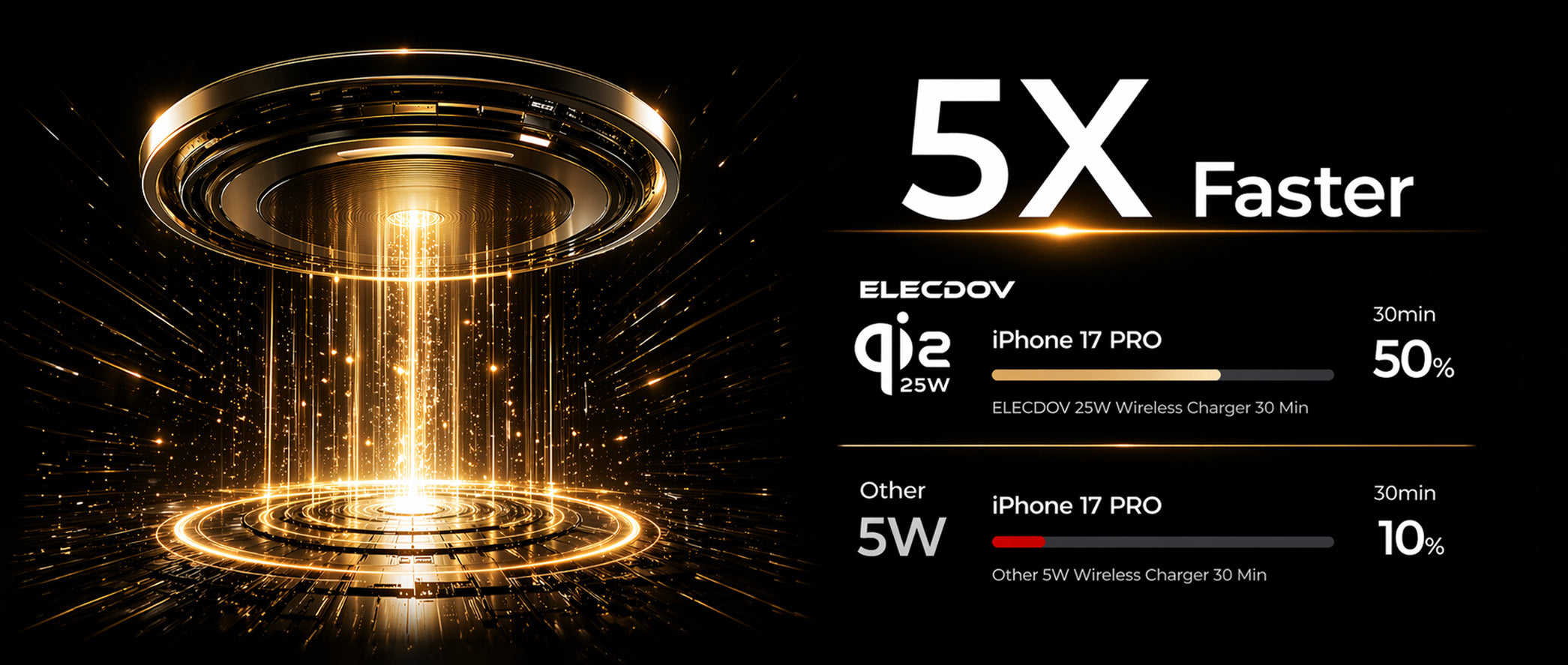
One detail worth keeping straight: Apple's 25W paragraph names its own charger part numbers — A3502, A3503, A2580, A3250 — plus a 30W-or-greater adapter at 15V/2.0A. A third-party pad qualifies on Qi2 25W certification instead. When a listing claims 25W, ask which path it is claiming.
| Point | What it means at the desk |
|---|---|
| Ceiling | 25W is qualified end-to-end, not switched on |
| Paths | Apple part numbers + 30W adapter, or Qi2 25W certification |
The adapter is half the charger
The most common reason a 25W pad behaves like a 15W pad is a 20W adapter left over from an older phone. Apple's tiers are the whole difference: up to 25W needs a 30W-or-greater adapter at 15V/2.0A or higher; up to 15W needs 20W or greater with 9V/2.22A or 9V/2.56A.
Two operational details matter at a desk. Sequencing: Apple asks you to plug the charger into power before placing the iPhone, so it can verify it is safe to deliver maximum power; placed first, the instruction is to lift, wait three seconds, replace. That rules out flicking a switched power strip on after docking.
The second is the port: while any USB-C or Lightning accessory is attached, wireless charging on iPhone 18 Pro and iPhone 18 Pro Max is limited to 16W, and if the phone is also powered through its connector, Apple states it charges through the connector. A desk is where that happens: a dongle, a card reader, a wired headset.

Which is the argument for a station with the plug in the box. Two of the three Elecdov stations below publish a bundled charger plug, removing the most common mismatch before it starts; the third is a watch stand that expects a USB source you own.
| Point | What it means at the desk |
|---|---|
| 25W tier | Needs a 30W-or-greater adapter at 15V/2.0A or higher |
| Accessory cap | 16W while any USB-C or Lightning accessory is attached |
Heat is the governor
Every wireless charger loses some energy as heat, and the phone's protection logic responds to it. Apple says the iPhone or charger may get slightly warmer during charging, and that if the battery gets too warm, software might limit charging above 80 percent to extend battery lifespan. That sentence explains the most common desk complaint: the phone races into the high seventies and appears to stall.
Not stalling — behaving as documented: the 25W tier belongs to the start of a session, cool battery and empty; by the time it is warm and nearly full the phone has less reason to accept power quickly. No charger overrides that.
Qi2 25W was written with this in mind: the WPC describes enhanced thermal monitoring and intelligent power management intended to prevent overheating, plus improved foreign object detection. Transmitter and receiver behaviours, not a promise that your desk stays cool.
So the useful question is not whether a pad reaches 25W but for how long. Open air on a hard surface holds the fast tier longer than a drawer, a leather folio or a laptop's exhaust. Same wattage, different thermal budget.
 Thermal management is the part of a station's specification a wattage number cannot express. Image source: Elecdov product gallery, keyword-matched to thermal management and battery health.
| Point | What it means at the desk |
|---|---|
| Stall above 80% | Documented thermal behaviour, not a defect |
| Your lever | Open air on a hard surface holds the fast tier longer |
Clearance: the surface the pad sits on
Apple's setup instructions are short and literal: place the charger face up on a flat surface, clear of any metal objects or other foreign material. Then place the iPhone on it. Everything here follows from those two sentences.
On a desk, "clear of metal objects" is real: a metal riser, a steel paper tray, the aluminium base of a monitor arm — and whatever you put down without thinking. The card warning is the same physics applied to data: cards, badges, passports and key fobs should not sit between phone and charger, because magnets can damage magnetic strips and RFID chips.
The second constraint is airflow, the one people break trying to be tidy: on a thick mouse mat or a leather blotter the base is insulated and the fast tier shortens quietly. The third is the drawer — a thermal dead end.
 Vents only work if they are not facing a mat, a drawer floor or a stack of paper. Image source: Elecdov product gallery, keyword-matched to heat dissipation design and airflow.
| Point | What it means at the desk |
|---|---|
| Surface | Flat, hard, metal-free |
| Airflow | Body exposed; never inside a closed drawer |
Reach and sightline: the space you are really allocating
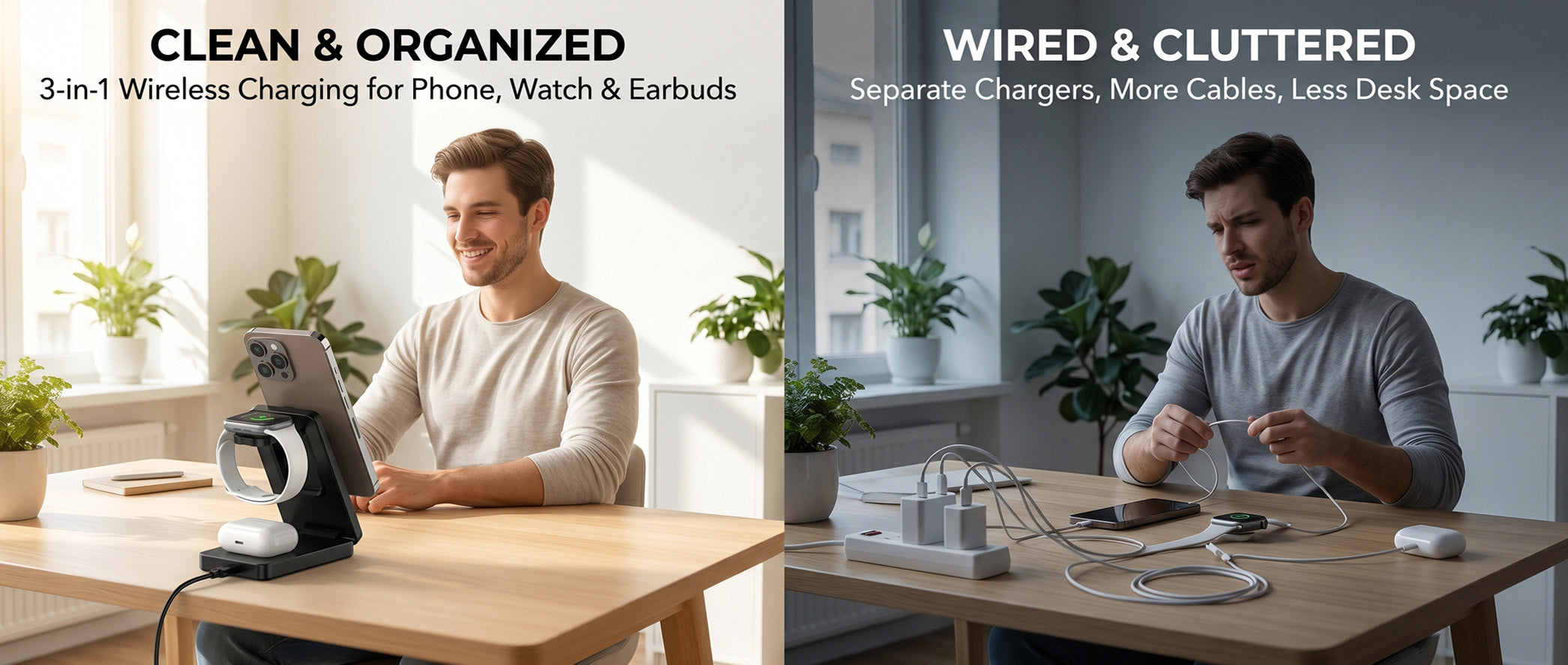
Three objects compete for the same strip of desk: a cup, a notebook, a phone. Only one leaves with you when you stand up — that is the test for a position: the pad sits where your hand already goes.
In practice: the back corner on the dominant hand's side, angled toward the seat, front clear for the keyboard. A pad at the front edge gets knocked; one behind the keyboard gets buried in paper; the far corner gets used.
The sightline half applies if the phone does double duty: a phone on a stand at the back corner is readable at a glance — clock, timer, call screen — while a phone lying flat is readable only when you stop working. If a stand ever felt pointless, it was placed where the phone would have lain flat anyway.
| Point | What it means at the desk |
|---|---|
| Position | Back corner, dominant-hand side, angled to the seat |
| Sightline | A phone on a stand is readable; flat is not |
Three Elecdov Apple stations for the desk
Three different desk roles: the one-plate 25W station, the four-bay dock for shared desks, and the watch-side stand that fits where nothing else does. Every number comes from that product's published listing; where a listing is silent, the table says so.

Elecdov CE19A 3-in-1 25W Magnetic Wireless Charging Station for Apple
CE19A · 3-in-1 · digital clock · plug included
- Published phone output up to 25W max, in listed steps of 5 / 7.5 / 10 / 15 / 25W
- Digital clock with adjustable brightness; foldable body for travel or office use
- Verified on the listing against iPhone 18 Pro Max, iPhone 18 Pro, iPhone Duo and iPhone Ultra, plus AirPods Pro 3 and Apple Watch Series 12

Elecdov C12N 4-in-1 Magnetic Charging Station for Apple
C12N · 4-in-1 · tablet stand 0–90° · plug included
- Adds an adjustable tablet stand, 0–90°, to the phone, watch and earbuds bays
- Phone pad 15W max; USB-C output listed at 18W max, the highest wired output here
- iPad is listed on wired charging, and the iPhone list stops at iPhone 14 — verify before assuming

Elecdov WC01A 2-in-1 Magnetic Wireless Charging Station for Apple Watch, Compatible with Series 12 & Ultra 4
WC01A · 2-in-1 · watch stand · storage organizer · 5W
- 2-in-1 wireless charging for Apple Watch, with the features list also citing simultaneous charging for iPhone and AirPods via the built-in magnetic dock
- Doubles as a jewelry organizer for rings and earrings; smart chip prevents overheating
- Verified on the listing against the newest watches: Apple Watch Series 12 and Ultra 4
Side by side: what actually differs
Only five rows change the decision. The rest are here because a desk has to accommodate all of them at once.
| CE19A Pick 01 |
C12N Pick 02 |
WC01A Pick 03 |
|
|---|---|---|---|
| Charging bays | 3-in-1: phone, watch, earbuds | 4-in-1: adds tablet stand | 2-in-1: watch plus magnetic dock |
| Phone pad power | Up to 25W max | 15W max | Not stated on the listing (5W max output) |
| Watch bay | 2.5W / 5W max | 2.5W max | 5W max |
| Earbuds bay | 5W max | 5W max | Not stated on the listing |
| Extra output ports | Not stated on the listing | USB-C 18W max | Not stated on the listing |
| Input | 5V-3A, 9V-3A, 12V-3A, 15V-3A | 12V/3.7A (Max) | 5V/2A, 10W |
| Charger in the box | Included | Included | Not stated on the listing |
| Clock display | Yes, adjustable brightness | Not stated on the listing | Not stated on the listing |
| Stand | Foldable body | Foldable + tablet stand 0–90° | Watch stand with magnetic dock |
| Size and weight | 5.9 × 2.76 × 1.18 in; 15.16 oz | 10.43 × 6.34 × 2.76 in; 20.39 oz | 3.78 × 3.34 × 3.64 in; 5.11 oz |
| Best place to sit | Back corner, one cable | Shared desk that already has a tablet | Beside the main station, for the watch |
CE19A — the desk that wants one object. The only one whose listing puts the phone pad at up to 25W, and the smallest station here at 5.9 × 2.76 in. On the newest hardware, the listing verifies iPhone 18 Pro Max and AirPods Pro 3 by name.
C12N — the desk that gains a fourth position. You trade the 25W pad for a 15W pad and get an 18W USB-C output plus a real tablet stand, which is right when a family desk already has an iPad on it. Prefer a different material? The 3-in-1 CE19A is also sold as CE19A-CF with a carbon-fiber finish.
WC01A — the desk where the watch needs a home. A 5W Apple Watch stand with a magnetic dock and a jewelry-organizer trick, at $16.50 the smallest and cheapest object here. It is the add-on, not the anchor: the phone still needs Pick 01 or 02.
Still unsure? Count the devices that must charge at the same time tomorrow morning. Phone, watch and earbuds only: Pick CE19A, and check its 25W pad against your adapter. Add a tablet you prop up, or an accessory that needs a port: Pick C12N, whose 18W USB-C is the highest wired output here. And if the watch is the leftover device with no home when the main station is full: Pick WC01A, beside whatever anchors the desk. Either way, confirm the compatibility list on the product page rather than assuming a magnetic mount implies support.
 The right station is the one whose footprint matches the number of things you charge at once. Image source: Elecdov product gallery, keyword-matched to desk organisation.
Portrait or landscape: the angle question
Magnetic alignment removed the guesswork, not the geometry. The coil sits in a ring with a centre: portrait keeps the phone's mass low and the coil centred; landscape moves the mass sideways and rotates the coil relative to the pad. A good station accounts for that; a steep one may not.
The test takes seconds: attach the phone in your orientation and look at the gap between its back and the pad. Even gap, no pivot when you nudge a corner, fine; one edge lifting means the phone is levering against the magnet ring.
Orientation also decides what the phone is for while it charges: portrait is reading — clock, calendar, previews; landscape is call and video, and benefits from a real viewing angle rather than a flat pad. Note the overlap with Apple's 16W cap: a wired headset during a call is exactly when the tier drops.

| Point | What it means at the desk |
|---|---|
| Portrait | Reading orientation: clock, calendar, previews |
| Landscape | Call and video orientation; needs a real viewing angle |
One outlet, one cable: the desk power budget
Here is the number that surprises people who read only the phone pad's rating. The three stations in this guide publish maximum inputs of 45W, 44.4W and 10W once their listed voltage and current are multiplied out. A 25W phone pad is not a 25W load at the wall; it is one output of a device that may draw close to twice that when every bay is busy.
That matters twice: the power strip, where a desk with a monitor, a laptop brick and a station is a small distribution board; and the adapter, where a 20W brick lands the phone in the 15W tier whatever the pad can do.
Both have the same fix, which is why a bundled plug deserves attention: match the supply to the station's published input, then stop thinking about it. Both station listings here include a charger plug, so the supply question is answered by the box; the WC01A does not state one, and its 5V/2A input expects a USB source you already own.

Cable discipline follows: the station's own lead is the only cable that must move when you tidy up, so route it along the back edge and clip it where it drops off. Everything else belongs in a drawer — a cable in the iPhone's port moves the charge to the connector and drops the wireless tier to 16W.
| Point | What it means at the desk |
|---|---|
| Wall draw | Inputs of 45W, 44.4W and 10W across the three stations |
| Fix | Bundled plug matched to the published input |
The footprint question: 3-in-1 versus 4-in-1
The difference between a 3-in-1 and a 4-in-1 is not one more coil. CE19A publishes 5.9 × 2.76 in; C12N publishes 10.43 × 6.34 in. That is roughly four times the surface area, and it has to go somewhere.
What the extra area buys is a stand, not a bay: an adjustable tablet stand, 0–90°, with iPad listed on wired charging. The fourth position props a tablet while it charges from a cable — legitimate desk feature, but a stand feature, judged as one.
The trade-off is documented. C12N's published iPhone list stops at iPhone 14, while CE19A names iPhone 18 Pro Max, iPhone 18 Pro, iPhone Duo and iPhone Ultra. Build the desk around an iPhone 18 Pro and that difference is the whole decision; the stand is only worth its footprint if the phone bay is confirmed.

The 4-in-1 wins on a shared desk: one tablet, one phone that changes hands, one place where everything lands. It loses on the shallow desk, or where the tablet already lives on an arm.
| Point | What it means at the desk |
|---|---|
| Area | C12N is roughly four times the CE19S footprint |
| Judged as | A stand feature, not a fourth coil |
Does a clock belong on a work desk?
Two of the three stations build a digital clock into the body, and CE19A's listing adds the detail that settles the argument: adjustable brightness, described as not disturbing sleep. That phrase tells you who the feature was designed for, and it is not someone at a desk at two in the afternoon.
On a work desk a clock earns its place through meeting cadence: if your day is a sequence of calls, a clock you can read without unlocking anything beats a lock screen that dims. Otherwise it is small furniture showing a time you know.
Brightness separates a desk clock from a bedside one: legible in daylight, dim enough not to fight a monitor in the evening — exactly the control CE19A publishes.
 A clock is a nightstand feature that happens to be useful at a desk, provided the brightness adjusts. Image source: Elecdov product gallery, keyword-matched to digital clock displays.
| Point | What it means at the desk |
|---|---|
| CE19A | Clock with adjustable brightness |
| C12N / WC01A | No clock stated on either listing |
Three desk layouts that survive a 25W iPhone
Three layouts cover most desks, described by what sits where.
Layout A — the single-plate desk
One station at the back corner, one cable to the wall, nothing else on the plate. This is the CE19A layout: smallest footprint, a 25W pad, a clock that gives the object an address.
Layout B — the two-machine desk
A laptop, a monitor, a phone and one accessory that needs power. This is the C12N layout even without a tablet: its 18W USB-C feeds a lamp or headset dock without a second brick. The trade is explicit: the fastest phone tier for more footprint.
Layout C — the shared or creative desk
The main station is full and the watch still has nowhere to go. This is the WC01A layout: a 5W stand beside the anchor dock, sized 3.78 in and priced at $16.50. Check the watch model against its Series 12 / Ultra 4 list first.
 Layout is a decision about where the cable goes and what shares the plate. Image source: Elecdov product gallery, keyword-matched to Apple ecosystem office charging.
All three share the same three rules, which decide whether the desk performs: power the station before you dock the phone, keep the port empty, and give the pad open air on a hard, metal-free surface. A 25W desk that follows those rules beats a better charger that does not.
| Point | What it means at the desk |
|---|---|
| One-plate | CE19A, 25W, back corner |
| Shared / watch | C12N for the tablet desk; WC01A beside it |
Before you trust the setup: a ten-minute check
None of this needs equipment. It needs ten minutes and the willingness to change one thing at a time.
- Read the adapter label. Below 30W, or without 15V/2.0A, the phone is not in Apple's 25W tier.
- Power the station first, then place the phone.
- Empty the phone's port while you measure.
- Clear the plate: no cards, no keys, no metal tray.
- Check the surface is hard, flat and ventilated.
- Watch the first 30 minutes, not the first five.
- Confirm the compatibility list for your exact model before buying.
An iPhone 18 Pro desk is not complicated, just specific. The charger is one link in a chain from wall to coil, and the links you control decide whether the 25W number appears.
Frequently asked questions
Does an iPhone 18 Pro charge at 25W on any magnetic charger?
No. Apple's MagSafe documentation lists 25W only when the charger is paired with a 30W or greater power adapter rated 15V/2.0A or higher, and names MagSafe Charger part numbers A3502, A3503, A2580 or A3250. Apple also states that actual power varies with the iPhone model, the adapter's wattage and system conditions.
Why does wireless charging slow down when I plug in headphones?
Apple limits wireless charging to 16W on iPhone 18 Pro and iPhone 18 Pro Max while a USB-C or Lightning accessory is connected, to comply with regulatory standards. The same page notes that if the phone is connected to both a MagSafe Charger and power through its connector, it charges through the connector instead.
Can I leave a card or a key fob on the charging pad?
Apple advises against placing credit cards, security badges, passports or key fobs between the iPhone and the charger, because the magnets can damage magnetic strips or RFID chips. The charger should sit face up on a flat surface, clear of metal objects and other foreign material.
Why does the phone sometimes stop at 80 percent?
Apple states that the iPhone or the charger may get slightly warmer during charging, and that if the battery gets too warm, software might limit charging above 80 percent to extend battery life. A pad in direct sun, on a soft mat, or next to a laptop exhaust is the usual cause on a desk.
Do I need to plug the charger in before placing the phone?
Apple recommends connecting the charger to power first, because that lets MagSafe verify it is safe to deliver maximum power. If the phone was placed first, Apple's instruction is to lift it off, wait three seconds, and place it back on.
How much power does a 3-in-1 Apple station draw from the wall?
More than the phone pad's rating. The three Elecdov stations in this guide publish maximum inputs of 45W, 44.4W and 10W respectively, calculated from their listed voltage and current, which is why the outlet, not the pad, is usually the constraint.
Related reading
- 25W MagSafe and Qi2: the complete desk charging setup guide for 2026 The wider buying guide this placement piece sits inside.
- iPhone 17 Qi2 and MagSafe charging: 25W specs vs a 15W 3-in-1 station The same wattage-versus-tier gap on the previous iPhone generation.
- Elecdov C12N 4-in-1 magnetic charging station: full review A closer look at Pick 02, its tablet stand and four-bay layout.
- Best wireless charger for a desk setup 2026: Qi2.2 vs MagSafe The certification paths behind the 25W label, compared.
- Why your nightstand needs a MagSafe charger in 2026 The same logic applied to the nightstand.
Compare the three stations on one page
Bays, pad power, ports, clock, stand and footprint, with the product page one click away.
See the CE19A stationSources: Apple Support, How to use your MagSafe Charger with iPhone (18 September 2026); WPC, WPC Ushers in Next Generation of Faster Wireless Charging (23 July 2025) and WPC Qi2 consumer pages; Elecdov listings for CE19A, C12N and WC01A.


